|
What is XP Search Assistant Rewritten?
XP Search Assistant Rewritten is a freeware desktop assistant and search program
that recreates the original Windows XP Search Companion using the same
Microsoft Agent technology that powered the original. It is designed to bring back the classic XP search
experience on modern versions of Windows (Vista-11), while also adding a couple of extra features and quality-of-life improvements.
The first public beta, Public Beta 1, was released for testing on
November 28th, 2025, with version 1.0 following afterward on December 6th, 2025.
Download & System Requirements
Current build: Version 1.1
Release date: December 21st, 2025
- Freeware - no purchase required!
- Requires .NET Framework 4.5.2. Please note our other desktop assistants require .NET 2.0.
- Requires Windows Vista Service Pack 2 or later.
- Requires Microsoft Agent 2.0 runtimes for native Agent support (included in runtimes folder, just run the MASH setup).
- However, without Microsoft Agent, the bundled FCS engine provides a compatible but limited fallback.
Download: Download XP Search Assistant Rewritten 1.2
Source code for the EXE installer can be found here if you wish to compile it yourself and to avoid false positives: https://github.com/TMAFE/XP-Search-Assistant-Rewritten-Installer/tree/main
Features & Usage
XP Search Assistant Rewritten closely follows the original XP Search Companion while
extending it for modern use:
- Search for files by entering all or part of a file name.
- Find text inside .TXT files using a word or phrase.
- Select the folder or drive to search in (or type one of your own in the combobox!).
- Filter results by specific file extensions.
- Choose from multiple agents, not just Rover!
Extra tools and fun additions
- Whack-the-icon - you get three random icons and have to make sure you eliminate only those!
- Remember-the-icon - can you memorize the icon sequence?
- Animation Explorer - browse and play all character animations, and have them speak text.
- Sam Reader - Make the agent say anything with the Microsoft Sam voice! Requires you use to a character other than Rover/Courtney/Earl!
FCS Engine & .FCS Files
XP Search Assistant Rewritten introduces a fallback engine that
imitates MS Agent behavior when the components are missing.
- Preserves animated assistants even on systems without Agent.
- Runs side-by-side with the real Microsoft Agent when installed.
- Allows transparency to the Rover assistant if the user can't use AgentPatch.
Mini-Games
To make file searching more fun, the program currently includes two mini-games for you to play!
- Whack-the-icon - you get three unique icons from your imageres.dll; ELIMINATE THEM. (on the playing field)
- Remember-the-icon - watch the sequence of imageres.dll icons and repeat it!
Animation Explorer
The Animation Explorer window lets you:
- Play any animation supported by the current character.
- Have the character think, whisper, or speak custom lines (if the character has a TTS engine configured).
- Quickly test new characters or just enjoy the animations.
Screenshot Gallery
Screenshots from XP Search Assistant Rewritten, Public Beta 1, directly from our Agentpedia article
! Feel free to browser any other articles there!
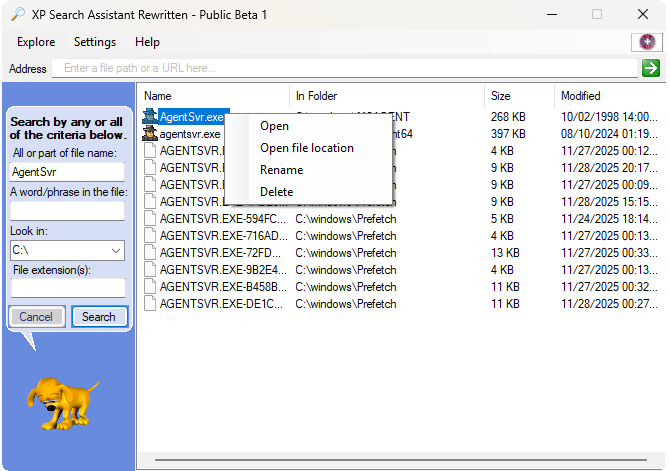
Rover searching for AgentSvr.exe.
|
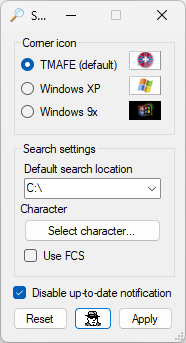
Settings menu as of Public Beta 1.
|
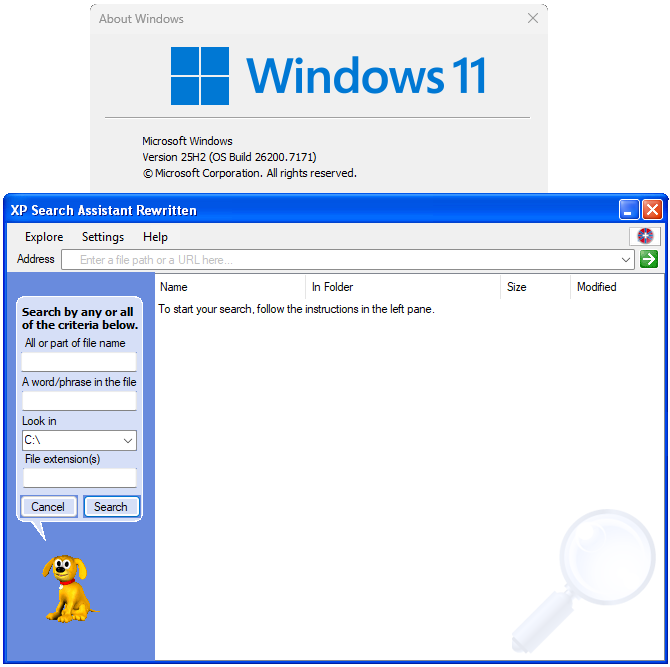
Luna theme as of Public Beta 2 on Windows 11.
|
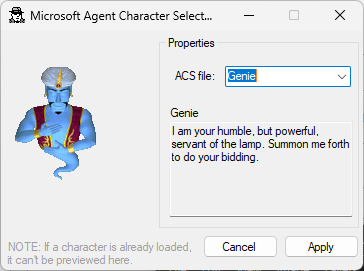
Character select featuring Genie.
|
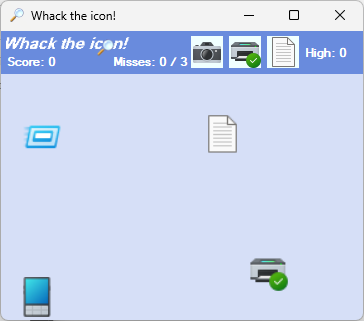
Whack-the-icon game as of Public Beta 1.
|
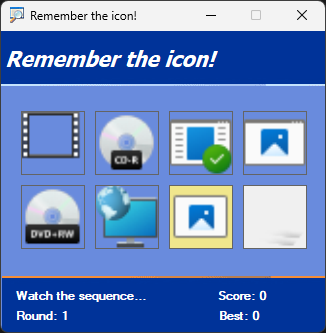
Remember-the-icon game as of Public Beta 2.
|
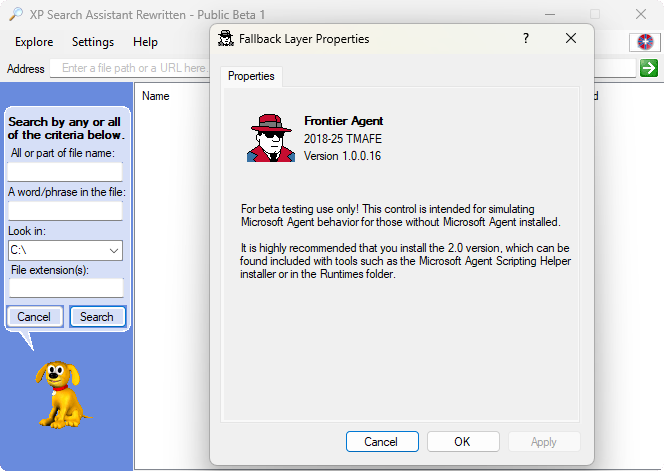
The program running in FCS mode (FCS fallback layer).
|
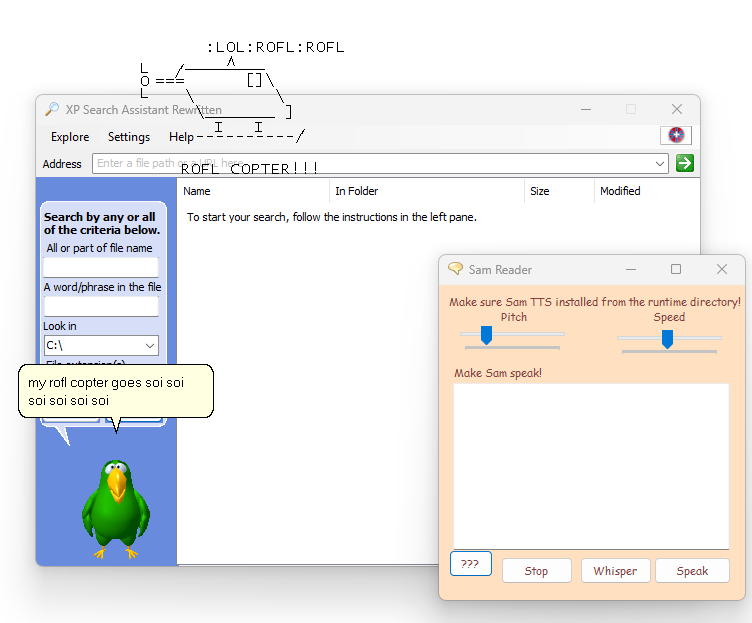
Sam Reader using the Peedy character as of Public Beta 2.
|
|
Character Gallery
While the program supports any ACS file, it is important that the ACS file selected has the appropriate animations or fallback animations. Below is a list of characters that are certified to work.
COMING SOON, but these will work just fine!


|
XP Search Assistant
Classic UI
The familiar XP search layout that is far superior to the modern one!
Technologies
Microsoft Agent
Original animated characters from the XP era.
FCS Engine
Experimental engine that simulates Agent behavior for PCs without MS Agent.
Get Involved
Report Bugs
Help improve future betas by sending us feedback!
Spread the Word
What are you waiting for? Spread it!
Last Updated: December 6, 2025
XP Search Assistant Rewritten © 2025
|

 Overview


